
Download Virtual Album Maker – virtual album, 3D photo album, photo album software, digital photo album, create 3D album
Overview
Virtual Album Maker is a productivity-focused tool designed for users seeking to transform static photo collections into immersive, interactive 3D experiences. The application enables individuals to organize, customize, and share digital photo albums with minimal effort. It is particularly suited for those who want to present memories in a visually engaging format without requiring recipients to install additional software. Whether used for personal projects, family keepsakes, or creative presentations, Virtual Album Maker streamlines the process of album creation while emphasizing accessibility and ease of use.
Target users include amateur photographers, families preserving memories, educators compiling visual content, and hobbyists exploring digital storytelling. The software’s emphasis on intuitive navigation and quick setup makes it approachable for beginners, while its customization options offer depth for more experienced users. Despite being developed for Windows, the app's functionality extends beyond basic photo viewing by integrating music, animations, and design themes to elevate the user experience.
Although the developer did not provide additional technical details, the app’s long-standing presence in the market since its release on April 8, 2009, suggests reliability and consistent user demand. Its ability to generate executable files for sharing indicates a focus on cross-device compatibility and minimal user friction. In the broader context of digital content tools, Virtual Album Maker occupies a niche role—offering a unique blend of creativity, presentation, and distribution in a single package.
Key Features & Functionality
- User-Friendly Interface: Designed with simplicity in mind, the interface allows users to navigate core functions without prior experience. Even first-time users can begin creating albums within minutes, thanks to a streamlined workflow and clear visual cues.
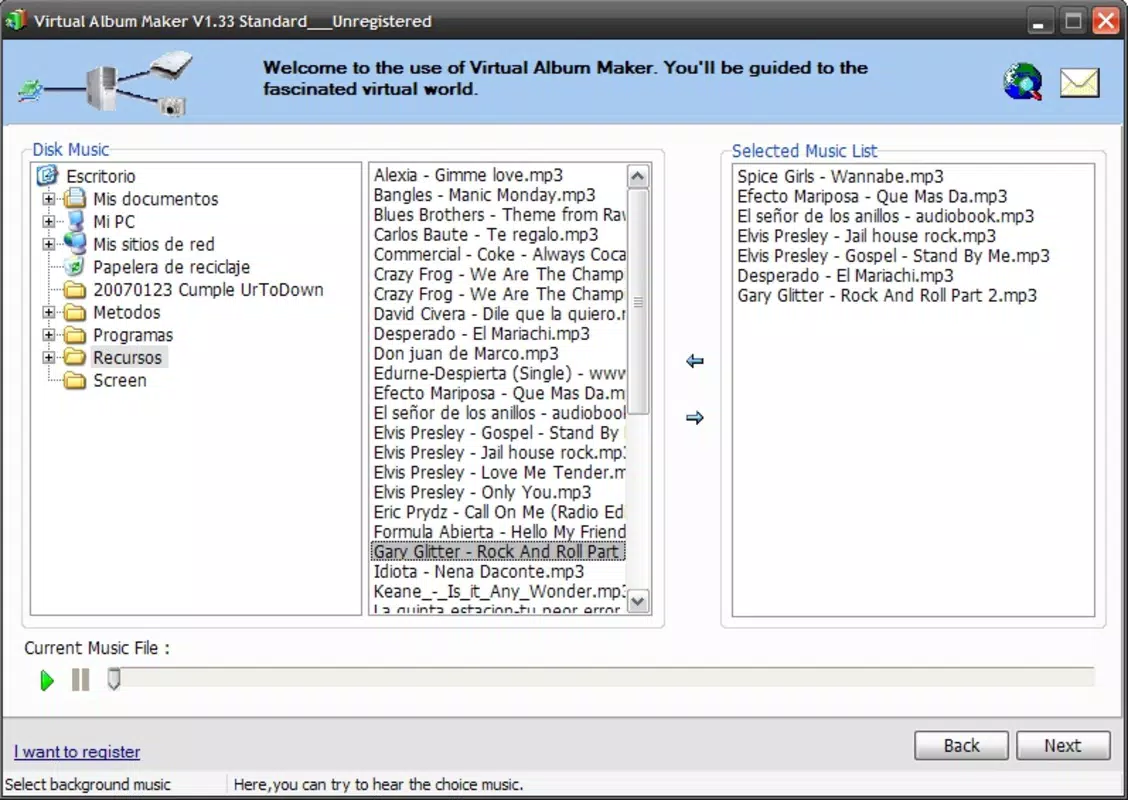
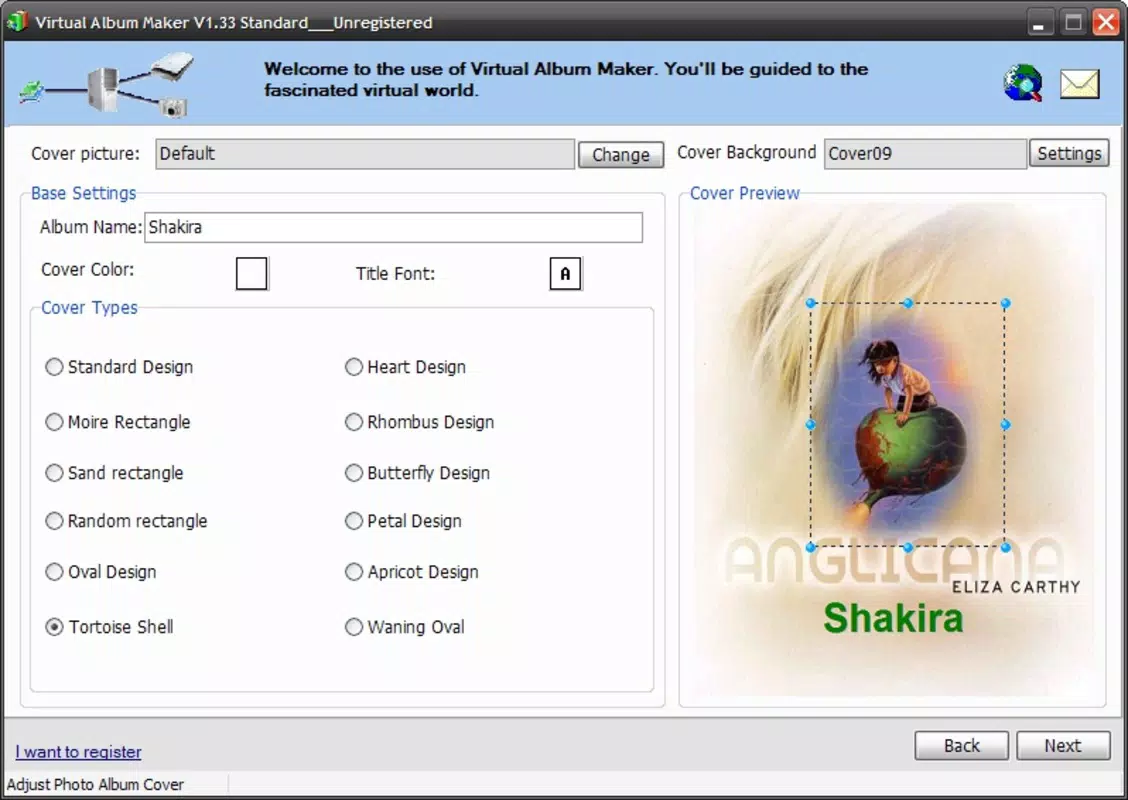
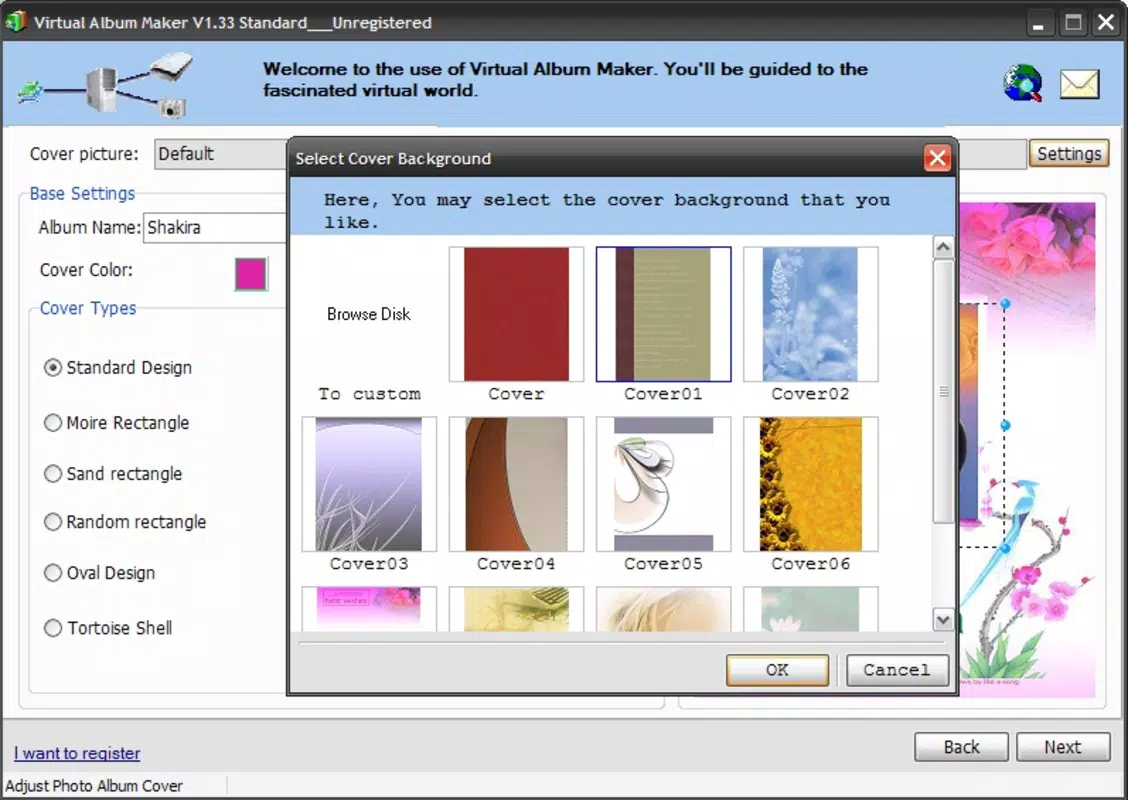
- Customizable 3D Albums: Users can arrange photos in custom layouts, apply dynamic animations, and select from various color schemes and themes. This level of personalization ensures each album reflects the creator’s unique style and intent.
- Executable Sharing Options: Albums can be exported as standalone executable files, meaning recipients can view them without installing the software. This enhances accessibility and simplifies distribution via email or USB.
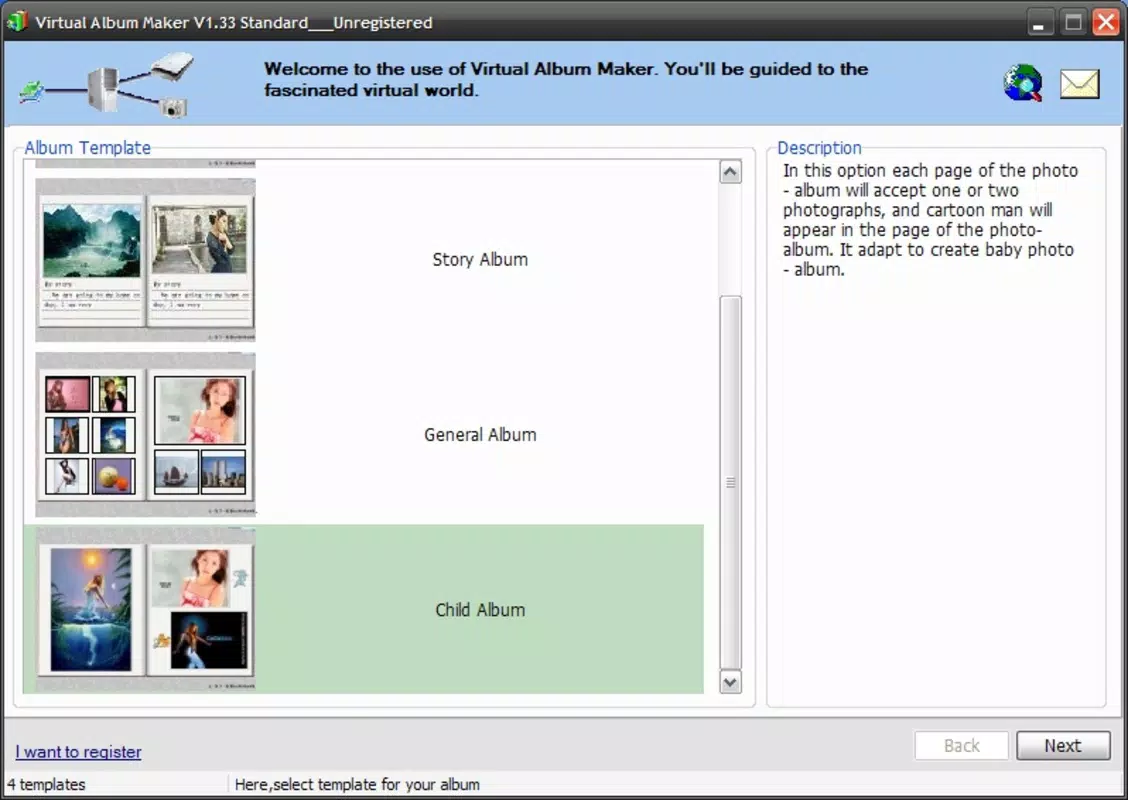
- Multiple Album Formats: The app supports the creation of standard albums, mini albums, and screensavers, allowing users to tailor their output based on the intended use—be it a gift, a presentation, or a digital keepsake.
- Quick Creation Process: With a minimal number of steps, users can compile a full 3D album in under five minutes. This efficiency makes it ideal for spontaneous projects or time-sensitive sharing.
For example, a family member could compile vacation photos into a 3D album with background music and animated transitions, then send it as a single file to relatives who can open it instantly. Similarly, a teacher might create a visual timeline of a school project, exporting it as a screensaver for classroom display.
Interface, UX & Performance
The user interface of Virtual Album Maker is structured around simplicity and visual clarity. Layouts are clean, with toolbars and menus positioned for easy access. Navigation is linear and predictable, guiding users through the album creation process step by step. The visual design emphasizes functionality over ornamentation, which supports efficient workflow without distraction.
Users can expect smooth operation during photo import, layout adjustments, and export processes. Although the developer did not list formal performance metrics, the app’s lightweight file size of 12.8 MB suggests optimized resource usage. This indicates that it should run efficiently on a range of Windows systems, including older or lower-spec machines.
Responsiveness appears consistent across tasks, with minimal lag during editing and preview functions. Stability is implied by the app’s long-term availability and consistent release history. However, compatibility with modern Windows versions has not been explicitly confirmed, so users should verify system requirements before installation.
Platform Compatibility & Technical Requirements
Virtual Album Maker is designed for the Windows operating system. The current version is 3.0, with a file size of 12.8 MB. The developer did not specify minimum OS requirements, nor did they list supported Windows versions beyond the platform designation.
Given its release date of April 8, 2009, the app may function on older Windows systems such as Windows XP, Vista, or 7. However, support for newer versions like Windows 10 or 11 is not confirmed. Users should exercise caution when installing on modern systems, as compatibility issues may arise due to outdated architecture or missing runtime dependencies.
There is no indication of cloud integration, mobile app availability, or cross-platform support. All functionality is confined to the desktop environment. The absence of mobile or web-based options limits its reach but maintains a focused experience for Windows users.
Pros and Cons
- Simple, intuitive interface ideal for beginners
- Supports multiple album formats including screensavers and mini albums
- Exports albums as standalone executable files for easy sharing
- Lightweight file size at 12.8 MB
- Enables customization with music, animations, and themes
- Not available for mobile platforms or macOS
- Compatibility with modern Windows versions not confirmed
- Price point of $29.95 may be high for casual users
- No cloud backup or synchronization features
- Developer did not provide updated technical specifications
FAQ
Is Virtual Album Maker compatible with Windows 10 and Windows 11?
The developer did not specify compatibility with Windows 10 or Windows 11. While the app may run on these systems, performance and stability are not guaranteed due to its age and lack of official updates.
Can I share my album without requiring the recipient to install software?
Yes. Virtual Album Maker allows users to export albums as executable files, which can be opened directly by recipients without needing to install the application.
Is the app free to download and use?
No. Virtual Album Maker is a paid application priced at $29.95. There is no free version or trial period mentioned in the provided information.
Does Virtual Album Maker support Mac or mobile devices?
Based on the available data, the app is only available for Windows. There is no official support for macOS, iOS, or Android platforms.
How long does it take to create a 3D album?
The app is designed for quick creation, allowing users to build a complete 3D album in just a few minutes. The exact time depends on the number of photos and customization choices.
Final Thoughts
Virtual Album Maker remains a distinctive tool in the digital photo organization space, offering a rare blend of creativity, simplicity, and accessibility. Its ability to generate interactive 3D albums that can be shared as standalone files sets it apart from standard photo viewers. While its age and lack of modern platform support are notable limitations, the app continues to deliver value for users who prioritize ease of use and direct sharing.
It is best suited for Windows users seeking a one-time or occasional solution for creating memorable, presentation-ready photo albums. Whether for family memories, educational projects, or creative expression, the app provides a straightforward path from photo collection to polished digital artifact.
Despite its price and outdated framework, the core functionality remains relevant. For those needing a reliable, executable-based photo album creator on Windows, Virtual Album Maker presents a compelling option.
Download Virtual Album Maker now


